
Business broadband without the runaround.
Fast fibre for video calls, cloud apps, EFTPOS, VoIP, backups, shared drives and busy teams. Static IP included. Unlimited data. Priority support. Ordered online in minutes.
Choose the business plan that fits your address.
Enter your address first and we will show the plans available at your premises. Start with reliable business fibre, step up to maximum regular fibre, or go all in with HyperNet Business where it is available.
Check Your Business Address
Do the maths on performance, not just the bill.
Many businesses stay on standard fibre because changing feels hard.
HyperNet Business is for teams that have outgrown waiting — waiting for cloud backups, waiting for uploads, waiting for large files, waiting for video calls to behave. More speed both ways. More headroom for the team. Less runaround.
Check HyperNet At My AddressWhy 360Net
for Business
A Connection Built Around Work
Video calls, cloud apps, EFTPOS, VoIP, CCTV, backups and shared drives all need a connection with headroom. That is what these plans are built for.
Static IP, Included
Position your router centrally in your home, away from obstructions and interference sources, to improve Wi-Fi coverage.
No Quote Games
Business broadband should be easy to understand. Once pricing is final, plans should show clear GST treatment, term options, and any early-termination rules upfront.
Human Support
Get real phone and live chat support.
Award-Winning Value
NZ Compare Best Value Broadband Provider 2024 & 2025 - now bringing the same value-first approach to business broadband.
HyperNet Business
- It's faster.
It's that simple.
Up to 4000/4000 Mbps for businesses that move big files, back up to the cloud, run busy teams, or simply do not want their internet to be the bottleneck. And because HyperNet installs can take time, Interim Connect can get you online on a standard fibre connection first where available, then move you to full HyperNet once the install is complete.
Check HyperNet At My Address
How switching works
01.
Check And Order.
Enter your business address, choose the plan available at your premises, pick your term, and complete the order online. Have your business or trading name handy. NZBN is optional but helpful.
02.
We Line It Up.
360Net places the order with the local fibre company and emails updates as the order progresses. Keep your current provider active until your new 360Net service is live.
03.
You Are Live.
Connect your 360Net router or your own compatible router and confirm everything is working. Once your 360Net service is running, cancel your old plan directly with your previous provider. (Check for notice periods with your current provider and act timely.)
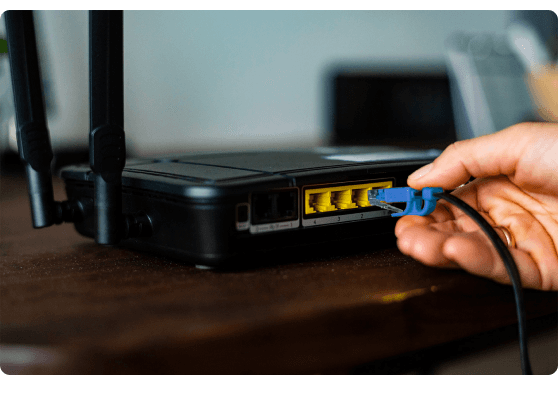
A router that matches the plan — or bring your own.
Take a 360Net router designed for your plan, or use your own router or firewall.
For HyperNet Business, make sure your gear has multi-gig ports and Wi-Fi that can actually use the speed you are paying for. We will email your connection settings with your order confirmation.
Explore RoutersYour business, up to speed.
Business fibre, HyperNet speed, static IP included, and priority support from a Kiwi broadband provider built around value.
Business FAQs
It depends on which fibre network serves your address. In Chorus areas, 360 Business Fibre runs at 500/500 Mbps; in Enable areas, it runs at 300/300 Mbps. Business Max delivers up to 900/500 Mbps, and HyperNet Business delivers 2000/2000 or 4000/4000 Mbps in HyperNet coverage areas. Enter your address and we will show what is available.